Commercial workflow page

Batch Fill PDF Forms and Entire Document Packets

Use one structured record to fill the current template repeatedly or apply the same row across an open group of saved PDFs when the workflow is really a packet, not a single form.

Workflow examples for Batch Fill PDF Forms

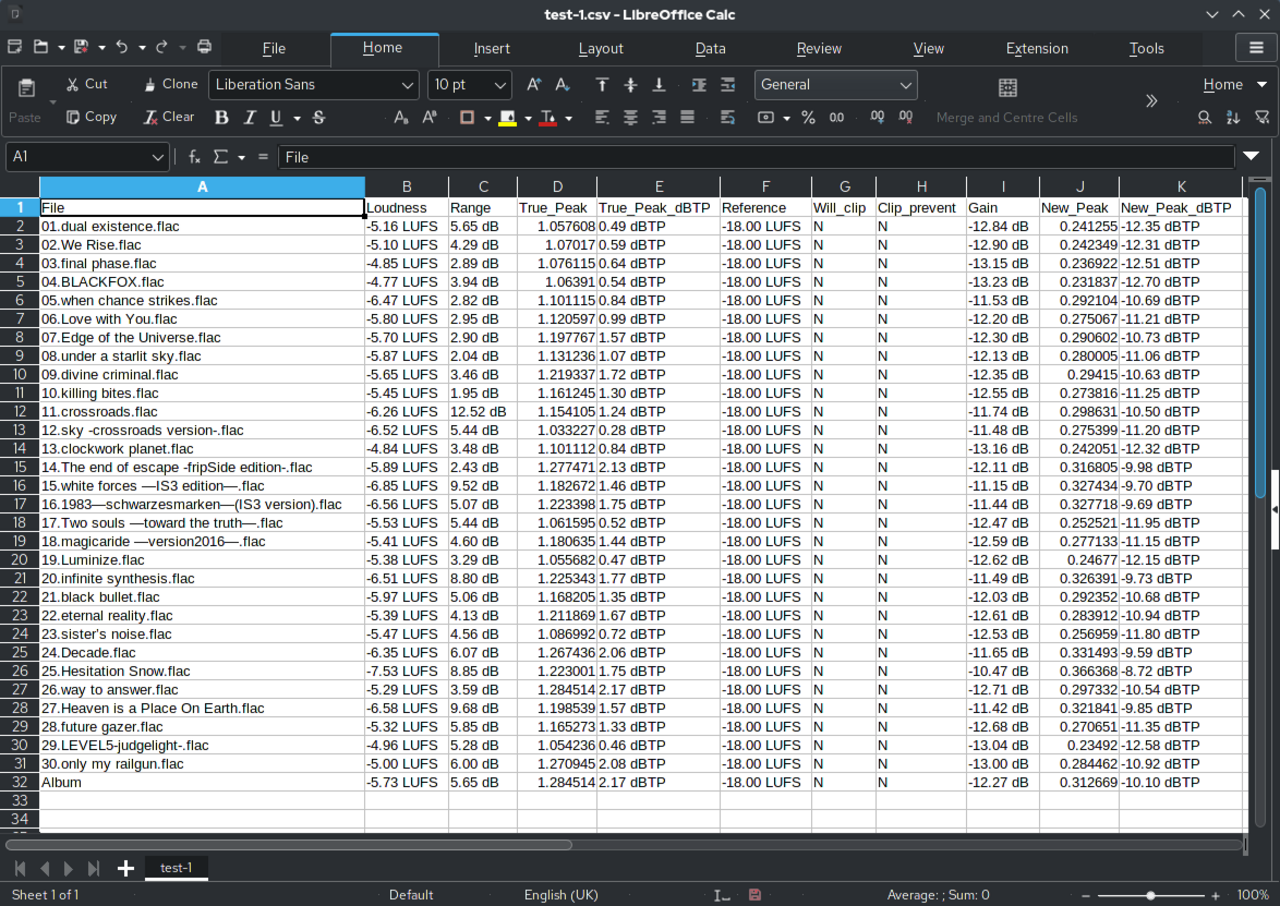
Spreadsheet row prepared as the source record for a repeat packet workflow.
Packet workflows start from one structured record that should be reused across several documents, not retyped into each PDF separately.
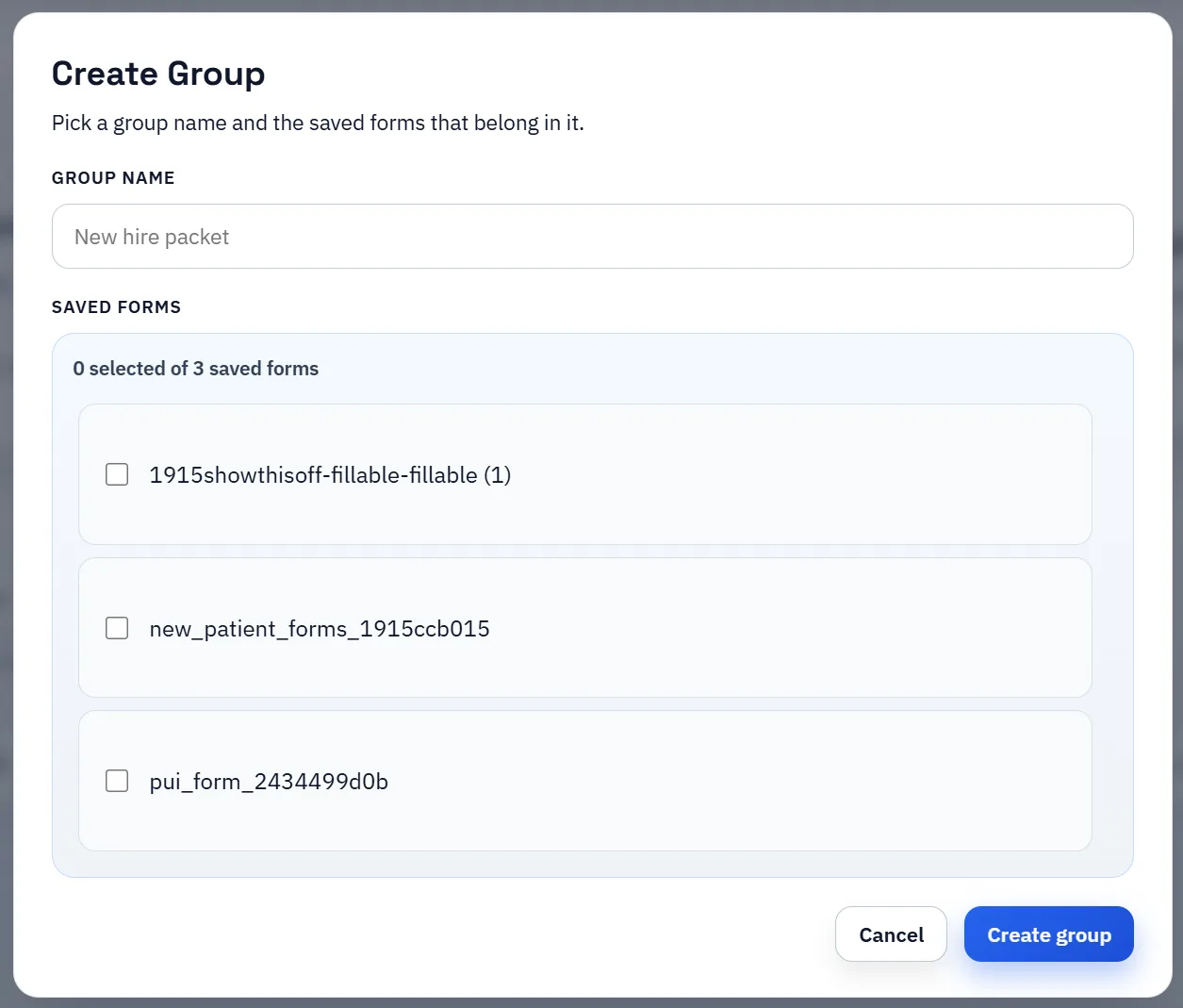
Create Group dialog for grouping multiple saved forms into one workflow.
Groups are the bridge between isolated templates and a real packet workflow because they keep the related PDFs under one reusable definition.
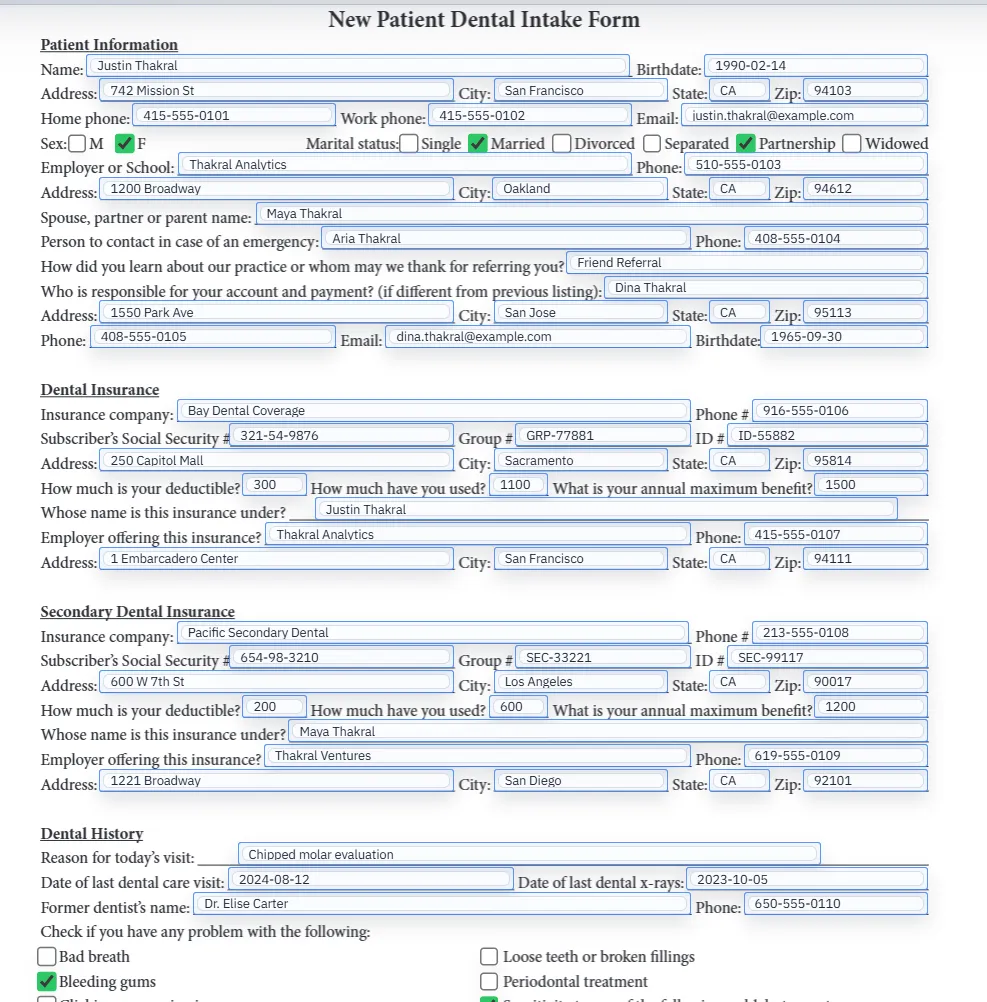
Filled PDF preview representing one document inside a larger repeat packet workflow.
The payoff is consistent record application across every document in the packet, not just one isolated form.

Packet Search & Fill demo

Fill an entire PDF packet from one row

This walkthrough shows how DullyPDF applies one structured record across an open group of saved PDFs, then extends that same reviewed packet into API Fill or Fill By Link when the data should come from another system or respondent.

Use this packet-focused demo when the real job is filling several related documents from one spreadsheet row, API payload, or stored response instead of remapping each PDF one by one.

Most batch-fill searches are really about packet work, not blind bulk export

A lot of “batch fill PDF” demand is really one of two jobs. Sometimes the team wants to run many different rows through one recurring template. Other times the team wants to take one row and push it through several related PDFs that together make up an onboarding packet, admissions packet, client intake set, or other document bundle. Those are different workflows even though the search terms overlap.

DullyPDF can support both, but the more distinctive capability is the packet path. You can still map one template once and fill it over and over, yet you can also open a saved group and apply the same selected record across every document in that packet. That is closer to how a lot of real operations teams actually work.

Build one canonical template per document before you group the packet

The safest packet rollout is not to throw a folder of unrelated PDFs into one automation step and hope the overlap works out. Start by treating each recurring document type as its own template. Detect fields, clean geometry, normalize names, map the schema, and validate one realistic output for that document first. Only after each member form is believable should the team assemble the multi-document packet.

That sequence matters because grouped workflows inherit the quality of the member templates. If one packet document still has vague names or weak checkbox logic, the group will only make those problems harder to debug later. A packet is strongest when it is made from clean building blocks rather than from several unfinished drafts.

  • Save one canonical template per recurring document type.
  • Use groups only for documents that truly belong to one respondent, employee, client, or case packet.
  • Validate the member templates before you judge the packet workflow as a whole.

How Search & Fill applies one record across an open group

The packet operator flow is straightforward. Open the saved group, load the structured source data, search for the person or record you need, and apply that selected row across the packet. DullyPDF keeps the grouped template context active so you can move between the documents without losing which record is currently driving the fill.

That makes the workflow feel very different from remapping each PDF one by one. The common row is selected once, the packet stays in context, and the review attention shifts to whether each document behaved correctly rather than whether the team remembered to re-enter the same names and dates everywhere.

  • Search the source data once for the target row.
  • Apply that row across the open group instead of only the current template.
  • Review the packet documents while keeping the same selected record in context.

Packet QA should focus on shared fields first and document-specific exceptions second

Multi-document filling succeeds or fails on two layers. Shared fields such as name, address, date of birth, employee identifiers, or client matter details need to land consistently everywhere they repeat. Then each packet document still has its own exceptions: a checkbox-heavy disclosure, a date format quirk, a role-specific field, or a signature section that belongs later in the workflow.

That is why packet QA should be staged. First confirm the repeated facts stay aligned across the packet. Then inspect the exceptions that only appear once or twice. That review order is faster and more realistic than rereading every document from the top as if each one were unrelated.

Search & Fill is the first packet workflow; API Fill and web forms are the scale paths

Search & Fill is the best first proof because it keeps a human operator close to the output. Once the grouped packet is trusted, the same reviewed definition can support other entry paths. Group Fill By Link works when the source answers still belong to a respondent. Group API Fill works when another system should request the packet directly and receive a ZIP of per-template PDFs back.

The key sequencing rule is simple: do not lead with publication if the packet has not already passed operator QA. Search & Fill proves the grouped templates. API Fill or Fill By Link should inherit that packet definition later, not replace the initial review step.

This workflow is strongest for repeat packets, not one-off unrelated PDFs

Good fits include HR onboarding sets, admissions packets, legal intake bundles, finance and loan packets, and any other workflow where several recurring documents share the same party data. In those cases the packet model reduces rekeying and helps the team keep one canonical template per document while still generating the whole set from one record.

Poor fits are loose folders of unrelated PDFs, documents whose layouts change every time, or one-off exports where there is no reason to maintain a reusable packet. The point is not to make every PDF workflow look like a packet. The point is to recognize when the business already works that way and give it a cleaner operating model.

Why teams use Batch Fill PDF Forms

  • Apply one selected record across a single template or a full saved packet.
  • Keep one canonical template per recurring document, then reuse groups for multi-document workflows.
  • Expand the same reviewed packet into group API Fill or group Fill By Link after Search & Fill QA is trusted.

Implementation signals for Batch Fill PDF Forms

  • When a group is open, Search & Fill can apply one selected record across the packet instead of just one template.
  • Stored Fill By Link responses can feed the same packet workflow without retyping the record.
  • Group API Fill can materialize one JSON payload into a ZIP of per-template PDFs after the packet has been reviewed.

Need deeper technical details about batch fill pdf forms? Use the Rename + Mapping docs and Search & Fill docs to validate exact behavior.

Frequently asked questions about Batch Fill PDF Forms

Can DullyPDF fill multiple PDF documents at once with the same record?

Yes. Save the related documents as a group, open that packet, and Search & Fill can apply one selected record across the full group instead of only the current template.

Is this only for spreadsheet-driven packet fills?

No. Search & Fill works with CSV, XLSX, JSON, SQL-backed row data, and stored Fill By Link responses. After the packet is reviewed, the same group can also be published as group API Fill or group Fill By Link.

Does DullyPDF behave like a blind bulk generator?

Not by default. DullyPDF is intentionally more controlled: it favors mapped templates, grouped packet review, and operator-visible validation before teams rely on high-volume generation.

Guides for Batch Fill PDF Forms

These walkthroughs and comparison posts cover the same workflow cluster from an operator point of view, which helps you move from a route summary into a more specific implementation path.

Docs for Batch Fill PDF Forms

Use these docs pages to verify the exact DullyPDF behavior behind batch fill pdf forms before you ship it as a repeat workflow.

Related routes for Batch Fill PDF Forms

These adjacent workflow pages cover nearby search intents teams compare while evaluating batch fill pdf forms.