HR & Onboarding
SF 52 — Request for Personnel Action
Federal HR uses SF 52 to request appointments, transfers, promotions, and separations.
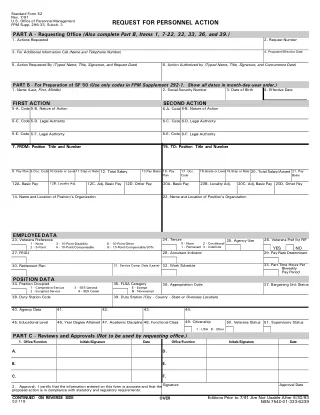
How SF 52 fits into a repeat PDF workflow
SF 52 — Request for Personnel Action is listed in the HR & Onboarding catalog. Routes through the agency for approval and becomes the source record for each personnel action filed in the employee's OPF. Treat the blank PDF as the controlled starting point: keep the official layout intact, then add reviewed fields and mappings before using it for live records.
- Template setup: open the blank PDF in DullyPDF, run field detection, and review text boxes, checkboxes, radio groups, dates, and signature areas before saving the template.
- Data fill: map the detected fields to CSV, Excel, or JSON row headers so the same reviewed PDF can be filled from repeat records. Use SQL or TXT imports for schema mapping, not direct row filling.
- Output paths: download the completed PDF, collect respondent answers with Fill By Link, call API Fill, or route the prepared record into a signature workflow.
The catalog keeps 2 pages, file size, category, and source attribution to opm.gov visible before automation starts, which helps teams confirm they are working from the right official blank form before saving a template.